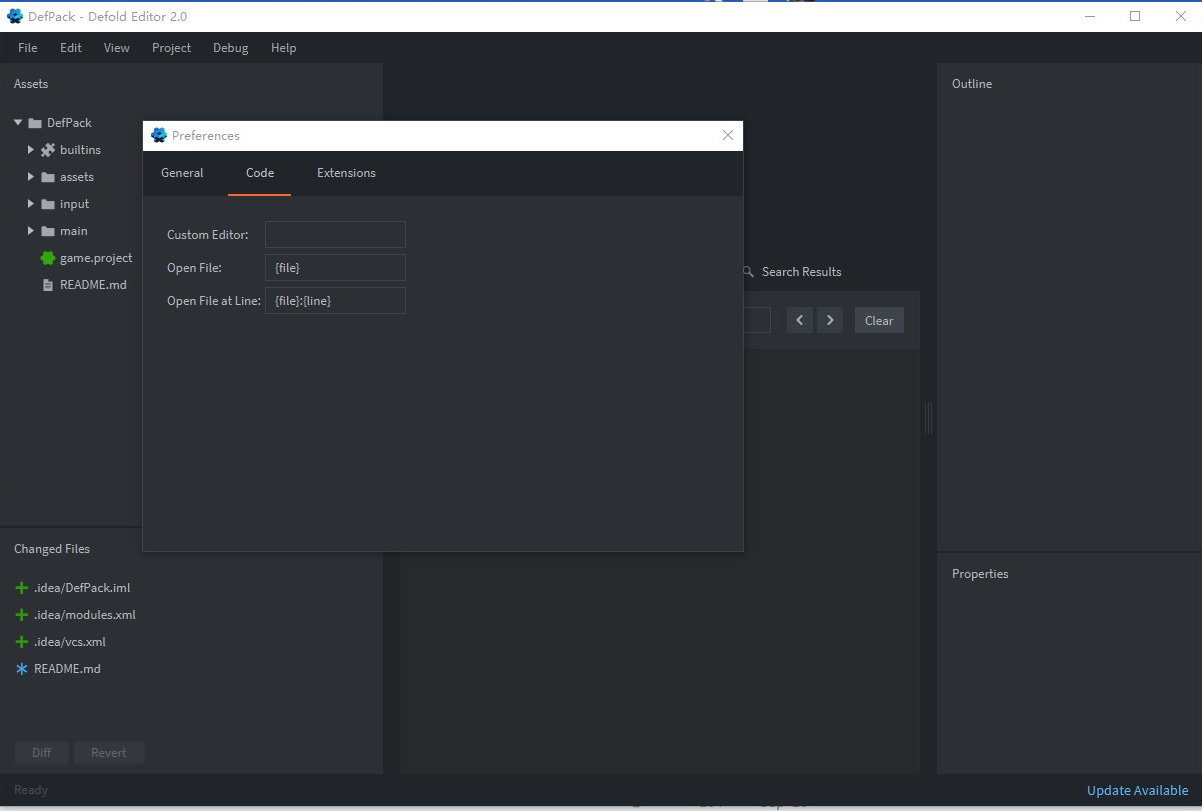
I’m kinda new to Defold… so maybe I just can’t find it (though I have searched around), but where can I set my code editor preferences? Things like spaces vs tabs, number of spaces for indents, font size, etc.
COCO
January 24, 2021, 2:50am
2
File-> Preferences…->Code
Pkeod
January 24, 2021, 3:15am
3
See this thread for editing the CSS of the editor. The viewports are not currently able to be customized.
update 2022-06-29: There is nowadays a manual page for editing the css.
The defold editor is created using Java/Clojure with JavaFX for its UI* and JavaFX CSS for styling. We use Sass to generate the final stylesheet(s) used by the editor with the various bits of the stylesheet defined here:
This solution works really well, but it is difficult for a user to change the styling of the editor. I’ve slowly started working towards a setup that is more user styling friendly and I’m presenting the …
To change the font size of the text editor press ctrl + or - to modify.
spaces vs tabs, number of spaces for indents
Not sure if this is supported.
You can use VSCode for writing scripts if you prefer to customize those.
[Defold API Reference]
Defold Engine is available on Visual Studio Marketplace .
[Github]
[vcs]
[vcs]
3 Likes
Thanks for the info, I guess I can try using VSCode if I end up not being able to deal with the lack of editor customizability. Is there a place to request and vote on Defold feature updates like this?
Pkeod
January 29, 2021, 8:15pm
5
Requests can be posted here
GitHub · Where software is built
You vote by adding a thumbs up to issues. Here is the current most voted issues
GitHub · Where software is built
1 Like