If I wanted to make a dialogue system with features such as character portraits, branching dialogue, speech SFXs, pauses, etc (a good example of this is this video: https://www.youtube.com/watch?v=rEYSi0ahC5Q), how would you go about this? I haven’t found many resources on dialogue system, so I’d like some pointers in the right path. Thank you!
This is the overview version of it, But I’m gonna make a detailed post when I finish this visual novel I am currently working on.
I have a module called scenes which has a table called chapters and chapters has multiple tables with the dialogue for each chapter.
The scenes module has a function I have named text, which returns all the variables and their values.
These are: name of the character (Ava/Lila), emotion/action (Fidgeting), Dialogue (Hi)
There is an actions table which as values such as positions and easing values, more on that later
And that’s pretty much it for the Scenes module.
All of the “game” takes place in one GUI component.
I only have one extension; Printer by insality. It does that text reveal and also you can do rich text stuff as well as some fun effects such as waving or shaking individual words. It also has support for sounds, but I haven’t tried it out yet.
I Advance the dialogue through a touch and release action. The printer extension also has a built in function to print instantly when an action is triggered so that you can’t overlap/skip the text.
The text in the GUI for the character name, emotion and dialogue are set from the module.
With the name I can decide to show which character which now is a box node. Also let’s say I’m introducing a character that first appears in line 14, I can animate their sprite with gui.animate from the rightmost edge of the screen to my desired position and if they leave I just do the opposite with a fade effect as well using gui.animate. If a character is embarrassed, I can make their box node go to the bottom of the dialogue box and change their animation (single sprite).
It’s not a fancy system as it sounds, I just check the self.index which is my value for progressing the dialogue. If it’s 14, I call in the action function in the GUI script which accesses values from the actions table in the scenes module.
I know I said that the whole game lies within a single GUI component but I have a few scripts here and there. Most notably, one for progression. Using go.property I can make saving and loading scenes much more easier as I have to save chapters number and an index number to a save file which refers to the point where dialogue was saved from.
Also makes navigating through chapters easier.
The visual novel is a Kinetic one in that it’s linear.
If I was making one with branching paths, I’d make each path it’s own chapter and gate each path behind flags. Like Chapter 1 has 2 paths, a & b. Both of them have their own chapters a1, a2 & b1, b2. If the player chooses b1, they cannot access the other chapters since self.b1 is true. Again, that was just an overhead view of the implementation
2 Likes
I’ve created a crude dialogue system, so maybe I can lend some tips. Links to the samples of my current system are below.
(Don’t mind the trash quality lol)
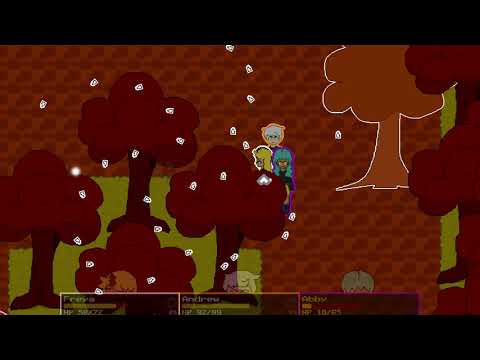
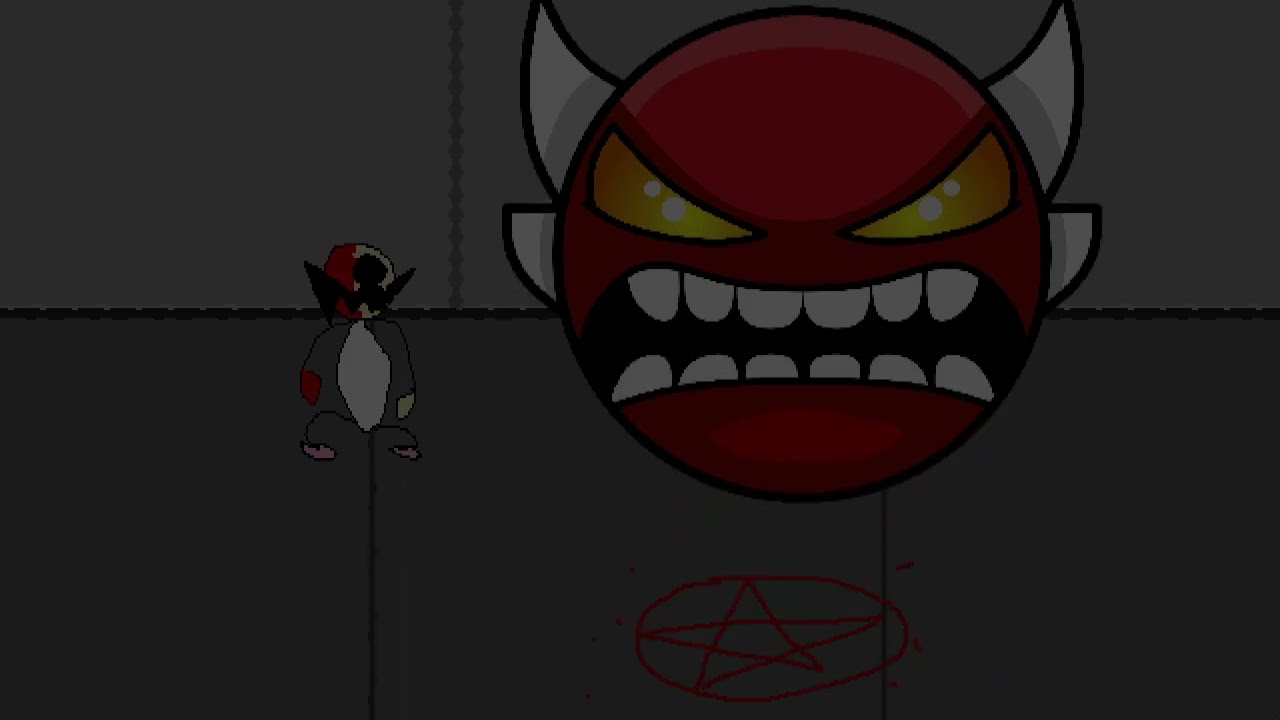
Youre definitely gonna want to use Richtext, it uses tags to do things like create colored text or put images in gui nodes. You can also use the custom tag feature to make your own tags that have different affects on the text (ex. The shaking text is programmed in by me, and I’m using a rich text tag to indicate which characters should shake). If you want to do typewriting effect though, you’d need to mix this system’s character function and your own code. I can drop an example project of my currently crude and a little unoptimized system if needed
For calling the actual text box, I find it easiest to just attach the gui to an object and create each text box with a factory, deleting it after it’s over. I like this system because it allows me to create text trigger collision objects that can connect different parts of dialogue files without having to write extra code. This could also be used to make branching dialogue, which I haven’t implemented in my test system yet.
For portraits and voices, there are 2 options: whatever function you use to call open a text box could pass tables where each element corresponds to a message’s index, but this isn’t really easy to track with boxes that contain lots of dialogue. The other option is use Richtext and create custom “voice” and “portrait” tags that you can add to the beginning of a line to be parsed and automatically set, which makes it easier to track but locks a specific line of dialogue to that portrait and voice, lest you create another line with a different portrait nd voice (if you’re using an external file to pull dialogue from).
But yeah I’ll probably conjure up an example project so you could see the code, not now as I’m in the Western hemisphere (it’s 2 am)
2 Likes
Both of these responses helped me a lot, thank you so much! There’s definitely a few extensions I’ll look into now. And yeah if you and @OneRedEyeDev could provide an example project that’d be very helpful.
This is a uber simplified version, but my dialogue is nothing more than a Lua table that has text and extecutes functions when used.
The data for me is independent of the presentation. That is up to you and there are multiple ways of doing it.
return {
	main = {
		{"main: option 1", function() print("main 1") end},
		{"main: option 2", function() print("main 2") end},
		{"main: option 3", function() print("main 3") end},
		{"main: option 4", function() print("main 4") end},
		{"main: second", function() go_to("second") end}
	},
	second = {
		{"second: option 1", function() print("second 1") end},
		{"second: main", function()
			disable_option({"main", 2})
			go_to("main")
		end},
		{"second: third", function() go_to("third") end}
	},
	third = {
		{"third: option 1", function() end},
		{"third: exit", function()
			exit_dialogue()
			print("byeee")
		end}
	}
}
1 Like