As i mentioned in the title, how can i make a simple menu (Play and Quit - like buttons) in a gui file?..how can i seperate the code of play from the code of quit?..do i need to create a separate gui scripts for both of them?..how can i put or call the script on it?
In short, you should be able to use the same script with your different buttons. Name them accordingly (“bn_play” and “bn_quit”) and you should be able to use code similar to this in your “on_input” function:
if gui.pick_node(gui.get_node("bn_play"), x, y) then
    -- Do something...
end
However, I would then also suggest looking into the concept of “gui templates”, which lets you reuse items such as buttons:
http://www.defold.com/manuals/gui-templates/
Hope this helps!
1 Like
i tried it many times but it doesn’t work on me…i dont know whats wrong…
This is how i make it:
- I created a new GUI file named “btn_play_again.gui” (as my gui button template)
- I put “btn_play_again.gui” inside my main gui named “GameOver.gui”
- in GameOver.gui_script attached in GameOver.gui, i put the ff. code:
function on_input(self, action_id, action)
    if gui.pick_node(gui.get_node("btn_play_again/btn"), 640, 360) then
    msg.post("main:/newbie#retry", "game_retry")
    end
end
(Screen Shot)
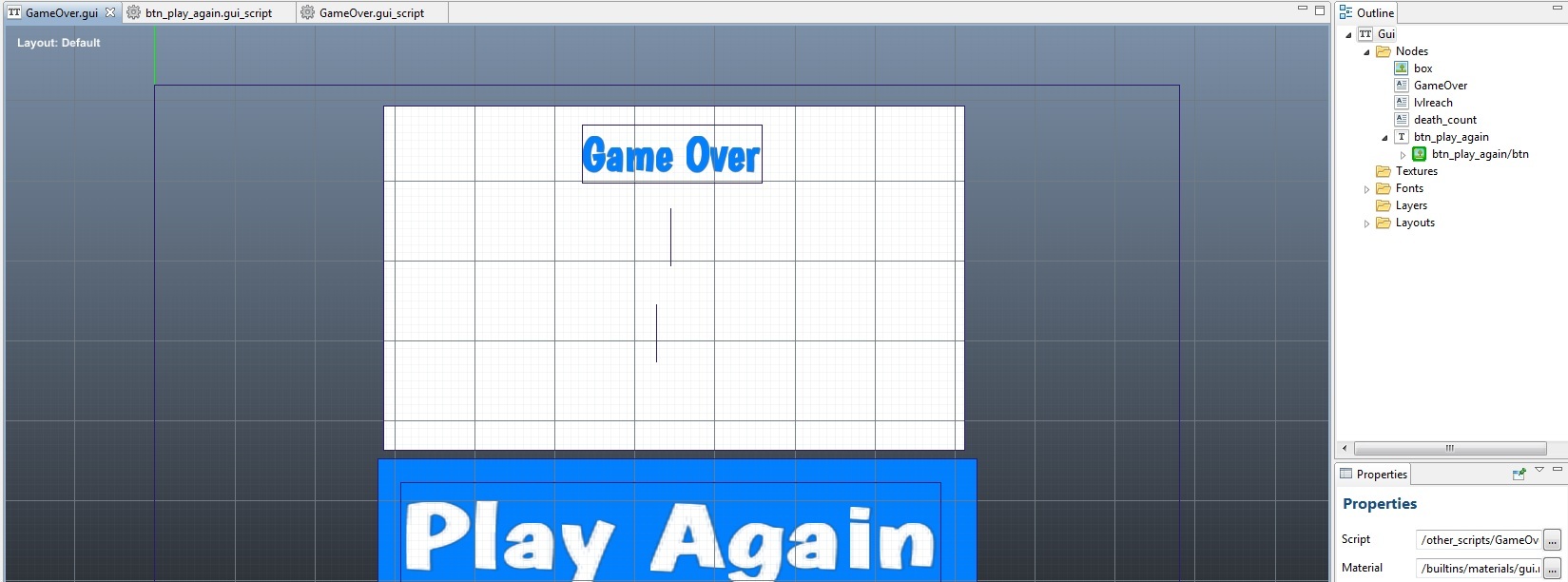
whenever i tried to run the game and show the Game Over scrren, the “Play Again” button didnt do anything…i really dont know whats the problem on it…please help me.. 
It seems the x/y values are hardcoded. Perhaps if you tried something like this:
if gui.pick_node(gui.get_node("btn_play_again/btn"), action.x, action.y) then
    msg.post("main:/newbie#retry", "game_retry")
end
Also, I assume you also verified that your on_input is being called?
called?..like msg.post()??? im sorry for asking too many questions… :')
i tried the code you given to me..actually it works..but even if i only move the mouse or pressed any button, the
msg.post(“main:/newbie#retry”, “game_retry”) is actually working…i think i missed something on it…hmmm
oh im sorry,…its actually working… :')
That’s great! Glad I could help!
Thank you very much…you also save my life…im already stuck on it..whenever i tried to put the mouse on the play again button, the game restarts…so i think if i bundle and import my game on my android, and tried to tap the play again button, it will restart the game…thanks!
Hmm, maybe you should add something like this:
if action_id == hash("touch") and gui.pick_node(...) then
    --do stuff
end
You can read more here: Device input in Defold
oooohhhhh…yeah…it works much fine now…thanks for your help…really appreciated it much.. :')
1 Like
and also,..do you have any idea on how can i force my game run in landscape mode only?..
You can set it in game.project, look here under “Display” Defold project settings