Originally created by Marius @dapetcu21, the extension has been forked and brought up to date and maintained by the Defold Foundation over the past year, with the goal of making FMOD a solid option for developers who need more advanced audio workflows in Defold projects on all platforms.
The extension now supports FMOD Studio and Core API 2.03.09, exposes both fmod and fmod.studio APIs to Lua, and gives Defold developers access to FMOD events, banks, buses, VCAs, runtime parameters, low-level audio control, and 3D spatial audio.
It also comes with example scenes showing practical use cases like:
spatial 3D audio with listener and emitter positioning
runtime parameters for things like RPM, pitch, and volume
This release also completes the move away from the old bridge layer into a proper Defold native extension setup, with improved build tooling and better platform support.
It is supported now across desktop (Windows, Linux, Mac), mobile (Android, iOS), and HTML5.
FMOD is a powerful audio solution, and we’re glad to make it easier to use from Defold. If you are already using FMOD, want to try it in a Defold project, or need support for newer FMOD versions, please let us know.
The official Defold FMOD extension is now added to the Asset Portal:
Thanks for checking! I guess I’ll stay away from it when making web games. All I really needed was a way to change the pitch easily without modifying the speed of the audio.
Hi! Congrats on all the hard work on this! I’m super glad that this still lives on thanks to the awesome Defold team! I know how exciting it was for me to be able to do dynamic music and effects back when I first released it. I hope, now that it’s found a maintainer, more devs will experience that excitement and build cool games with cool sound design.
The official FMOD support in Defold is fantastic!
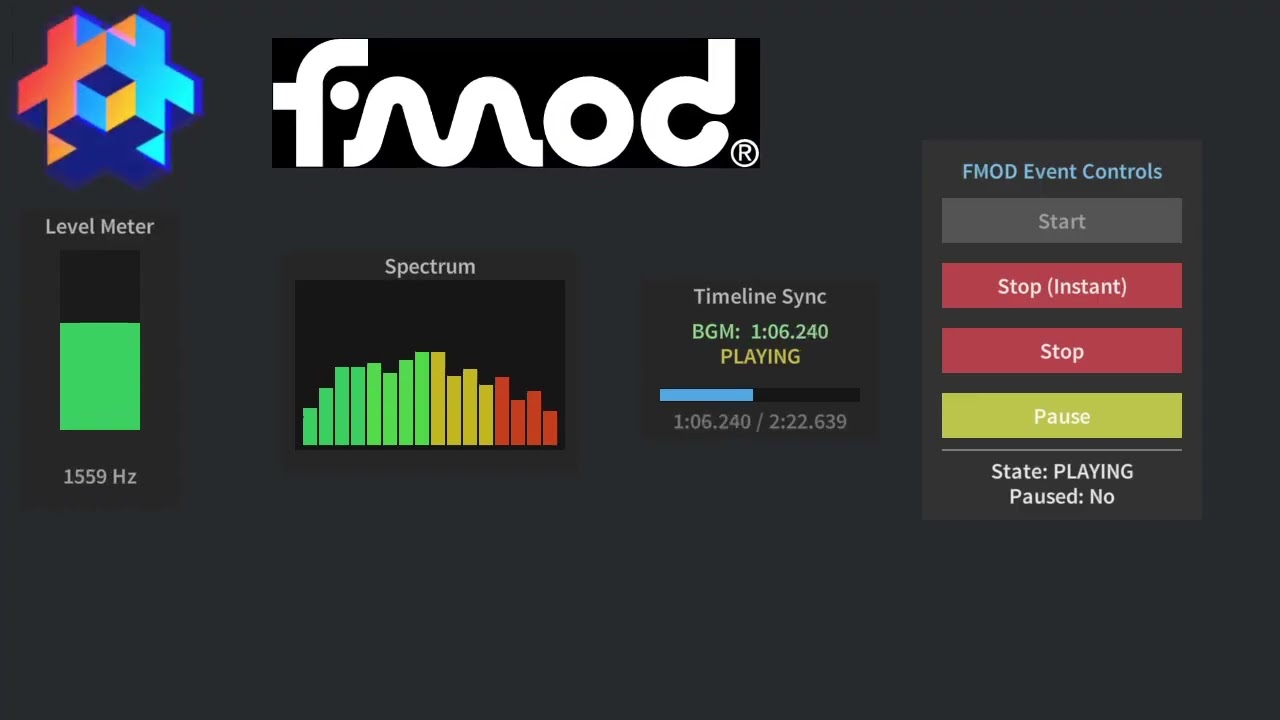
I’ve been experimenting with implementing an audio spectrum visualizer using the FMOD extension.
I was able to get the RMS (loudness) value through get_parameter_float without any issues. However, I couldn’t get the spectrum display working at first, because get_parameter_data wasn’t available in the extension.
So I asked an AI to help me implement get_parameter_data, and with that I was finally able to get the spectrum rendering as shown in the video.
I’ve also filed an issue about the missing get_parameter_data implementation, in case it’s useful for others.


 , the extension has been forked and brought up to date and maintained by the Defold Foundation over the past year, with the goal of making FMOD a solid option for developers who need more advanced audio workflows in Defold projects on all platforms.
 spatial 3D audio with listener and emitter positioning
 event playback controls: start, stop, fadeout, pause, resume
 runtime parameters for things like RPM, pitch, and volume