I’ve been wanting to use Neovim with Defold and I couldn’t get other solutions I’ve found to run so I made my own which my brother and I have been using for a while now and I thought its perhaps a good time to share the project.
Features
Code Hot-Reloading: Make code tweaks and see them live in Defold, no waiting.
Defold Control from Neovim: Run Defold commands right from Neovim with custom shortcuts.
LSP Integration: Get Defold API hints and autocomplete in Neovim’s built-in LSP.
Dependency Annotations: Auto-load LSP annotations for your Defold dependencies.
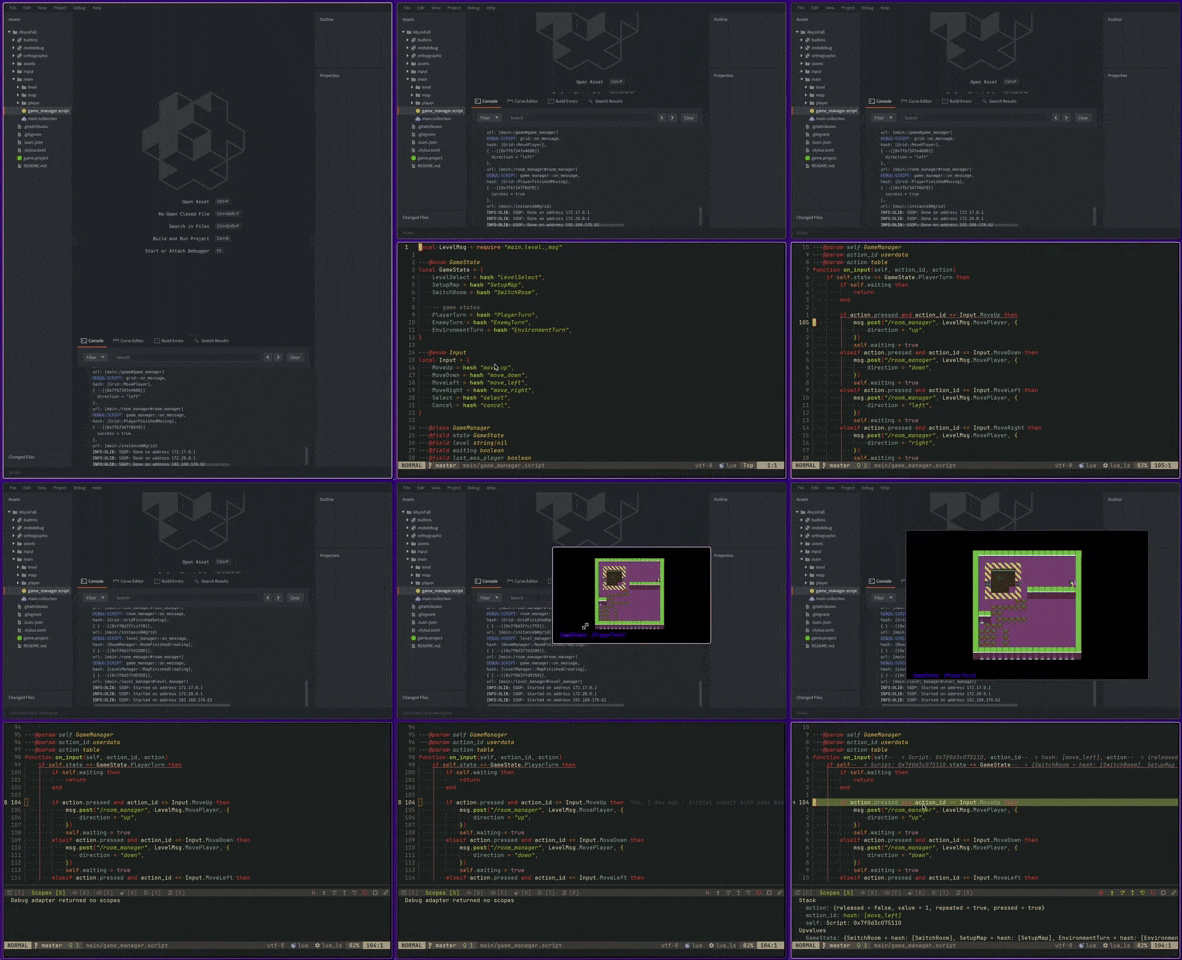
Debugger: Step through your code and dig into issues with ease.
Snippets: Insert pre-made code snippets to save time.
Supports Linux, macOS and Windows although I’m only using Linux so mac and Windows might still be a bit rough. I’ve done some testing in VMs but would appreciate some feedback
Just follow the install and setup instructions in the README and you should be good to go (if not write me a message and I try to get it fixed).
The most annoying part here was getting the debugger to run, the Defold editor is using MobDebug internally so I thought it would be a good idea if we’d use that too which turned out to take a bit of effort. Neovim similar to VSCode uses the Debug Adapter Protocol these days (nvim-dap) so the fastest way was to implement a sort of bridge between MobDebug and Neovim using a custom DAP implementation which you can find here GitHub - atomicptr/mobdap: Debug adapter implementation for Lua / ModDebug · GitHub which perhaps can be of use for other editor projects god knows :).
hi, I’m a newbie in both defold and neovim and I find your plugin is really awesome, I try to install your plugin with lazyvim but it come with error:
no field package.preload[‘defold_nvim_sidecar’]
cache_loader: module ‘defold_nvim_sidecar’ not found
cache_loader_lib: module ‘defold_nvim_sidecar’ not found
can you help me with this issue, thank you very much!
Can you show me your plugin configuration (of defold.nvim)?
It sounds like you might not have included the build section (which is required to download the sidecar)
-- Example from https://github.com/atomicptr/defold.nvim
{
    "atomicptr/defold.nvim",
    version = '*',
    lazy = false,

    dependencies = {
        -- (Optional) Required when using the debugger
        "mfussenegger/nvim-dap",

        -- (Optional) Required when using snippets
        "L3MON4D3/LuaSnip",
    },

    -- This makes sure the native library downloads at installation
    build = function()
        require("defold").download()
    end,

    opts = {
        -- config options, see below
    },
}
Can you try executing (neovim command prompt) :lua require("defold").download() manually? And then :messages in hopes that this throws an error
If that doesn’t give us anything, there is a log file available, use := require("defold.service.os").cache_dir() that should give you the cache directory we’re using which contains a “logs” directory, could you send me the plugin.log file? On my setup its at $HOME/.cache/defold.nvim/logs/plugin.log
I might’ve found the issue, there was a problem with detecting the architecture that should now be resolved in 0.3.2, can you update and confirm if it works now?
( :Lazy and then U), restart and using := require("defold.sidecar").version should now return "0.3.2"
You’re awesome , after upgrade to 0.3.2 issue have fixed and now I can completely use my neovim as an IDE for defold, thank you so much about your plugin and your help

 , after upgrade to 0.3.2 issue have fixed and now I can completely use my neovim as an IDE for defold, thank you so much about your plugin and your help