How have you tried changing the tint, in the material?
If you open up particle in the editor and select the emitter in the Outline panel you can find properties for Initial and Life colors Red/Green/Blue Also you can check the Blend Mode, selecting Add will give nice saturated color results.
Here is an example where I set colors red and blue to 0 and only use green.
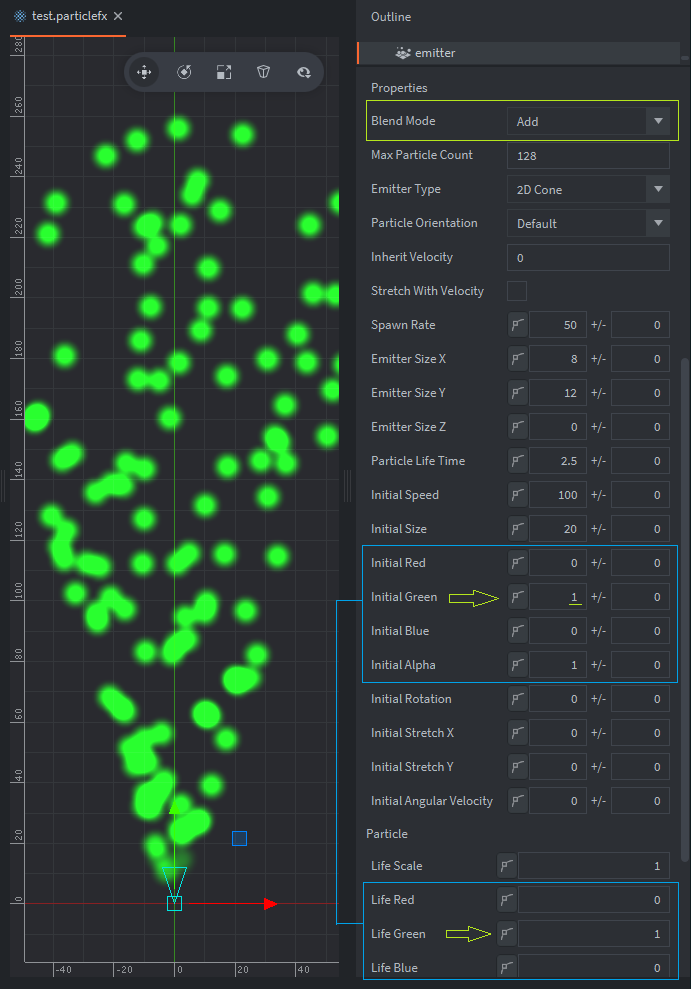
For the particle image itself using a white or grayscale hue might work best when taking advantage of coloring your particles with the engine. You can preview the particles with spacebar key. Also the small button next to the values allows you to key colors over time using the Curve Editor if you wanted to.
Edit: sorry about that I may have miss read , I think you can change the particle color at runtime using:
particlefx.set_constant(url,emitter,constant,value)